A small piece of text. Prices and context limits are usually counted in tokens, not pages.
The models, and the brain behind them.
A company makes models. An app gives you a place to talk to one. An agent gives a model tools and lets it work through several steps. A brain is separate again: it stores information the model can search later.
COMPANY → APPLICATION → MODEL → AGENT
How much the model can consider at once. A larger window does not guarantee a better answer.
The trained numbers inside a model. Open weights can be downloaded; closed weights stay on the provider’s servers.
Local runs on your machine. Cloud runs elsewhere through an app or API. Local is not automatically private; every connection still matters.
A documented way for software to send a job to a model and receive the result.
A model-size measure—not a quality score. Test models on your real job instead of choosing the biggest number.
Turning a sentence into numbers so similar ideas sit near each other, even if they do not share the same words.
A store of those numbers. Ask in your own words; it brings back notes that mean the same thing.
A back-of-the-book index. It finds a name, a date, or a model number exactly as written.
An optional map of who is tied to what. Useful for “who decided this?” — not required for ordinary search.
Retrieve first, then generate: the program finds notes, then the model writes the answer from those notes.
A plug that lets a model use a tool (files, mail, a calendar) instead of only talking about it. Credentials stay on the host.
Model information checked against official sources on 2 October 2026. Preview films illustrate the providers and may show earlier interfaces. Access, prices and release status can change; use the source links to verify your choice.
EVERYDAY CLOUD MODELS
Illustrative preview · current model details below
ANTHROPIC
Claude
Opus 5.5 · Sonnet 5.5 · Fable 5.1
Claude is Anthropic’s family for writing, analysis and coding. Compare the available model in your Claude plan or developer account against the work you actually need to do.
Access and official sources
Opus 5.5, Sonnet 5.5 and Fable 5.1 are released. Haiku 5.5 is announced for later; Haiku 4.5 remains the current released Haiku. Mythos 5.1 is restricted to vetted organizations. Availability and pricing depend on the product.
Checked 2 October 2026 · Official provider sources.
Illustrative preview · current model details below
OPENAI
GPT
GPT-6 Astra · GPT-6.1 Sol · GPT-6 Luna
OpenAI’s GPT family supports reasoning, writing and coding. ChatGPT is an application; Codex provides a coding workflow; the API lets developers build model capabilities into software.
Access and official sources
The official API catalog lists gpt-6-astra, gpt-6.1-sol and gpt-6-luna. Product access, model choices and billing differ between ChatGPT, Codex and the API. OpenAI also publishes a separate open-weight gpt-oss family.
Checked 2 October 2026 · Official provider sources.
Archive clip · Grok 4.5
XAI
Grok
Grok 4.7
Grok is xAI’s model family for reasoning and work with connected tools. An application may provide search or other tools; check the specific product rather than assuming every model sees live information.
Access and official sources
Grok 4.7 is available through the public API as grok-4.7. Grok 4.7 Fast is offered in Cursor and Grok Build, not the public API catalog at this check. Subscription and API billing are separate access routes.
Checked 2 October 2026 · Official provider sources.
Separate showcase · Gemini Robotics 2
Gemini
Gemini 3.8 Flash · 3.1 Pro Preview
Google’s Gemini family handles tasks involving text and media. It is useful to compare the fast Flash route with Pro for the complexity of your documents, images or video.
Access and official sources
Gemini 3.8 Flash is stable in the API; Gemini 3.1 Pro is a preview. Gemini 4 Argon is announced with restricted access for trusted cyberdefense partners, not a general public replacement. Veo is a separate video-generation family.
Checked 2 October 2026 · Official provider sources.
DOWNLOADABLE AND LOWER-COST OPTIONS
These families matter when you want downloadable weights, lower API cost, very long context, or media tools under the same provider. Test the exact version you plan to use.
Illustrative preview · current model details below
ALIBABA · QWEN
Qwen
Qwen 3.8-Max
Alibaba’s Qwen family offers hosted models and separately licensed downloadable models. Qwen 3.8-Max accepts text, images and video and produces text through the hosted API.
Access and official sources
The hosted API name is qwen3.8-max, with the updated qwen3.8-max-0902 snapshot. The original release was in August; September 2 was an update. Check the exact downloadable variant, license and hardware needs separately; hosted capability does not prove laptop suitability.
Checked 2 October 2026 · Official provider sources.
Illustrative preview · current model details below
MOONSHOT AI
Kimi
Kimi K3
Moonshot AI’s Kimi K3 combines native vision with coding and knowledge work. Consider it for tasks that bring documents, visual material and implementation together.
Access and official sources
The official release identifies kimi-k3 for API access. Check product limits, hosting options and any model license for the exact version. Very large context and model-size numbers are not a substitute for testing your own documents.
Checked 2 October 2026 · Official provider sources.

DEEPSEEK
DeepSeek
V4.1 Flash · V4 Pro
DeepSeek offers models for reasoning and coding through its application and developer API. V4.1 Flash adds native multimodal input; compare the current model against your task and budget.
Access and official sources
V4.1 Flash was released September 10 and uses deepseek-flash. V4 Pro remains available as deepseek-v4-pro. Older Flash names are retired or compatibility aliases. Consult current pricing instead of assuming it is the cheapest provider.
Checked 2 October 2026 · Official provider sources.

MINIMAX
MiniMax
MiniMax M3 · H3 · Music 3
MiniMax M3 combines image and video understanding with coding and agent tasks. MiniMax also offers separate tools for making video and music.
Access and official sources
MiniMax-M3 is the current M3 API identifier. H3 and Music 3 serve separate media-generation roles; M3 itself should not be presented as a music generator. Check availability, usage costs and licensing for each product.
Checked 2 October 2026 · Official provider sources.

ZHIPU · Z.AI
GLM
GLM 5.3 · GLM 5.3 Flash
Z.ai’s GLM family supports coding and agent workflows. It offers a hosted route and downloadable weights for teams that want to manage their own deployment.
Access and official sources
The hosted model is glm-5.3. GLM 5.3 weights are already published by the official organization; GLM 5.3 Flash is a separate variant. Check the model card and license before planning a local installation.
Checked 2 October 2026 · Official provider sources.
MODELS BUILT INTO PLATFORMS AND HARDWARE
Illustrative preview · current model details below
META
Meta AI
Muse Spark 1.3 · Muse Code · Glimmer
Meta’s model lineup includes Muse Spark, a separate Muse Code product and the open-weight Glimmer family. Match the product to the work rather than treating every Meta model as the same service.
Access and official sources
The official model index identifies Muse Spark 1.3 and these specialist families. Access varies by product. The index is verified; detailed availability and pricing should be checked on the linked provider page before committing.
Checked 2 October 2026 · Official provider sources.
Illustrative preview · current model details below
NVIDIA
Nemotron
Nemotron 3.5 Lightning 30B A3B
NVIDIA’s Nemotron models are building blocks for developers who want to deploy AI services. Hosted NIM access and self-hosting offer different ways to run the model.
Access and official sources
The verified model card is nvidia/nemotron-3.5-lightning-30b-a3b. Open weights and published recipes do not mean all training data is public. Hosting still needs suitable hardware, configuration and operation.
Checked 2 October 2026 · Official provider sources.
Illustrative preview · current model details below
MICROSOFT AI
MAI
Thinking-1 · Code-1.1 Flash · Image-2.6 · Voice-2.1 · Transcribe-2
Microsoft AI offers specialist models for reasoning, code, images, speech generation and transcription. Choose the model for the task: transcribing a recording and generating a voice are different jobs.
Access and official sources
The current official catalog lists these specialist families, including Voice 2.1 and Image 2.6. Product availability and plans vary. Do not assume every model is already installed in Copilot or VS Code, or included with an existing subscription.
Checked 2 October 2026 · Official provider sources.

YOUR AI CAN CHANGE. YOUR MEMORY STAYS YOURS.
Keep the notes, decisions and project records you choose in your own memory store. GLAMMBRAIN helps you find them again, so you can bring useful context to your next task—even when you change AI tools. A model writes answers; this separate memory holds the records you choose to keep.
You choose what to save and share. Installation does not connect every AI, capture every conversation or retrain a model. An AI tool needs an explicit connection and your permission to use your records. Back up your source folders and keep a copy you can export when changing tools.
EXAMPLE · WHERE IS MY WARRANTY RECEIPT?For example, save a text note about a repair with the receipt reference. Searching for “broken appliance” can find a note about a freezer that stopped cooling. Searching for its model number helps narrow the result. Open the returned source to check the details before relying on an answer.

A QUESTION COMES IN
ONE QUESTION. FOUR MOVES.
First find the right passages, then use them to answer your question. The downloadable v4 search returns text and source paths. A person or coding agent can run it and supply those passages to a model. Automatic access from a chat application requires a separately configured, verified connection.
01 · PASS THE QUESTION
Run the search program
A question that needs memory or a fact check is passed to the search program. A greeting does not need retrieval. The search returns passages and file paths—not polished prose—so the evidence remains distinct from the answer.

02 · FIND BY MEANING
Different words can point to the same idea
An embedding model represents the meaning of your question and each passage as numbers. Qdrant stores these representations and finds close matches. That is how “broken appliance” can lead to “the freezer stopped cooling.” These matches still need to be checked against the original file.

03 · FIND THE EXACT WORDS
Names, dates, codes, and phrases
BM25 complements meaning search by ranking passages that contain your search words. Names, dates and model numbers often benefit from this exact-word route. It is a relevance ranking, not a guarantee that every quoted phrase or identifier will match perfectly.
04 · MERGE, THEN ANSWER
Evidence first; wording second
The two result lists are combined. An optional reranker compares the best candidates with the question and puts the most useful matches first. The v4 search returns passages with source paths; the connected tool or person then uses them to compose an answer. Its optional relationship graph is maintained separately.
WHAT IT REMEMBERS · AND WHERE
THE FILE HOLDS THE MEMORY. THE INDEX HELPS FIND IT.
Running a search does not add the question to memory. A note becomes searchable only when a person or an approved script writes it into the chosen folder and the index refreshes. The ordinary file remains the source of truth.
- 1Readable source files
Chosen notes, receipts, briefs, transcripts, and other text files stay in ordinary folders. They are the record a person can inspect and correct.
- 2Meaning index · Qdrant
The feed cuts text into passages and stores a searchable numerical copy of each passage with its source path. This index can be rebuilt from the files.
- 3Exact-word index · BM25
A local index keeps the actual words from those passages so names, dates, codes, and quoted phrases remain findable.
- 4Optional relationship map · Neo4j
A graph records ties such as person → project → decision. It helps when the question is about relationships, but it is optional: files plus meaning and exact-word search already cover the core system.
- 5Keep work for next time
Save a useful decision or summary as a readable note in your chosen folder. It becomes searchable after indexing. Keep source files backed up separately; an index helps you find records but does not replace a backup. Optional automation should use only inputs you approve.
Technical details · optional scripts and maintenance
OPTIONAL MAINTENANCE
KEEP YOUR NOTES USEFUL.
Optional scheduled jobs can summarize selected files and refresh search indexes. They need configuration and approved inputs. This maintains your memory store; it does not train the AI model. The core starting point remains your files and a search you can verify.
The v4 script reads configured, timestamped conversation files, redacts recognizable secret patterns, skips known machine-run files, limits the number and length of turns it keeps, and writes a Markdown summary for the previous day.
The nightly chain indexes changed text, refreshes the optional relationship data, runs repair and cleanup checks, and creates Qdrant snapshots. It runs in order and stops if a stage fails.
Later, the v4 dream reads recently indexed passages and uses a local model to write a dated digest plus memory-patch proposals. Its scheduled run does not apply those proposals. Safe apply is a separate explicit option and accepts only corroborated, low-risk deterministic patches.
START WITH YOUR FILES. KNOW WHAT SETUP NEEDS.
The existing v4 package supplies the memory tools, setup instructions and verification scripts. It starts empty: no personal documents, credentials or model weights are included. You choose the source folder and approve access.
On Windows, the documented route uses WSL2 with systemd and Docker integration. Setup also needs Python 3.12+, Ollama and Docker Compose. Allow roughly 12 GB of model downloads plus dependencies, and at least 20 GB of free disk space. Native Windows without WSL is experimental; this is not a proven one-click Windows installer.
The v4 archive passed an isolated installation test on the documented Linux/WSL setup in August 2026. Its published checksum still matches that reviewed artifact, checked 2 October 2026. This does not prove native Windows setup or automatic integration with every AI application.
Want help setting it up? Contact GLAMMBOX for an assisted path. Start with the core memory and installer; additional services can be discussed separately.
SYSTEM
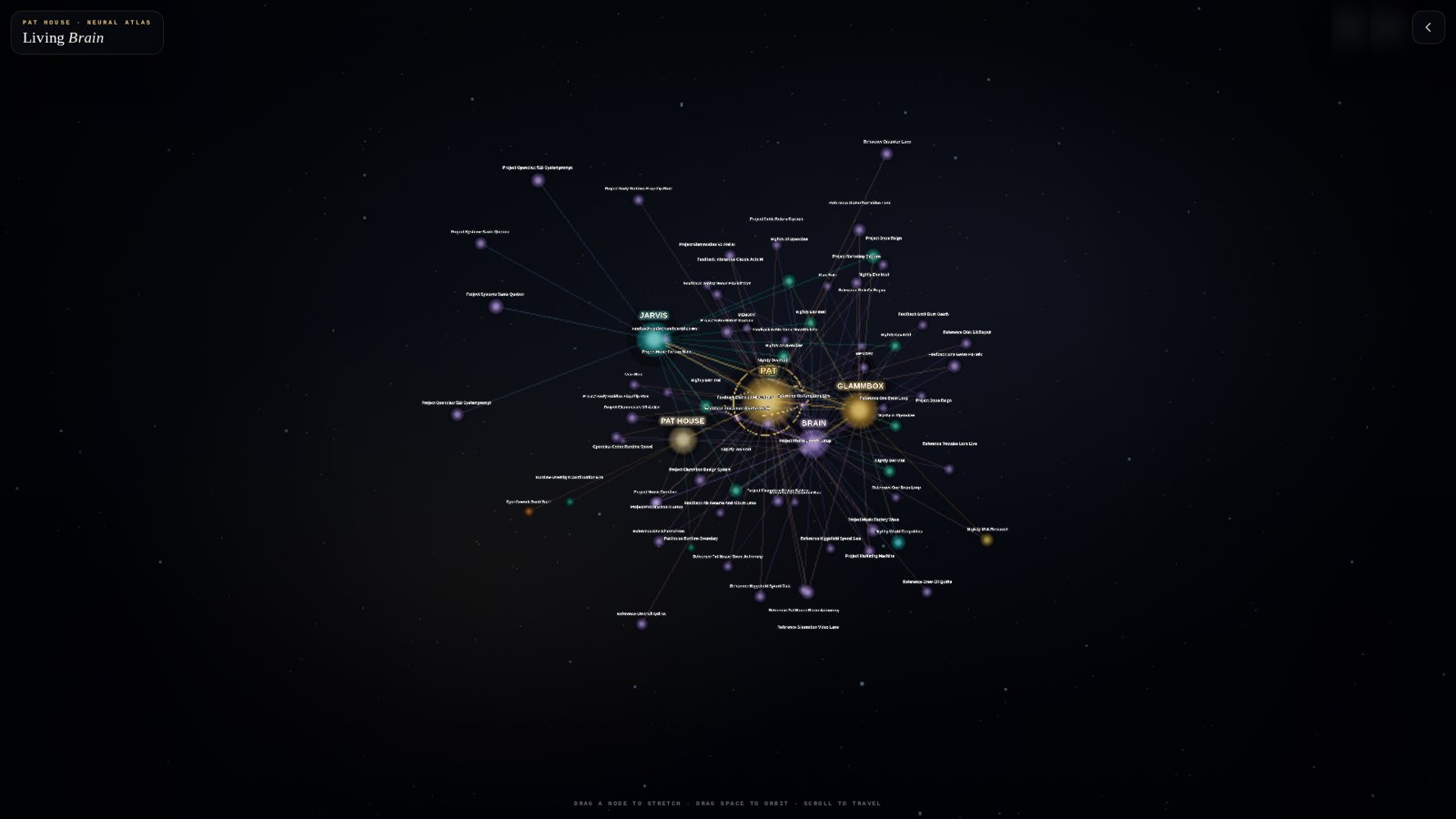
Each point is a file, a fact, a concept or a department; each line is a relationship recorded between two of them.
Swipe or scroll to keep reading. Use the arrows and zoom buttons to explore; on a computer, you can also drag with the mouse.
This public example uses generic labels. The downloadable package starts empty and does not contain anyone’s personal data.